Senior Product Manager Paul Trundle joined our Craft Circle meetup last week to discuss and answer questions about the recent product updates and future innovations in Sitecore Personalize. From notifications, entity migration and the their recent A/B/n testing feature in XM Cloud to a cutting-edge journey orchestration and conditions builder, the session offered a glimpse into how Sitecore are acting on feedback from marketers and developers to incorporate features that make it intuitive to craft smarter, more engaging personalized experiences. This post dives into those recent feature and explores some of the roadmap features Paul shared.
Enhanced Notifications
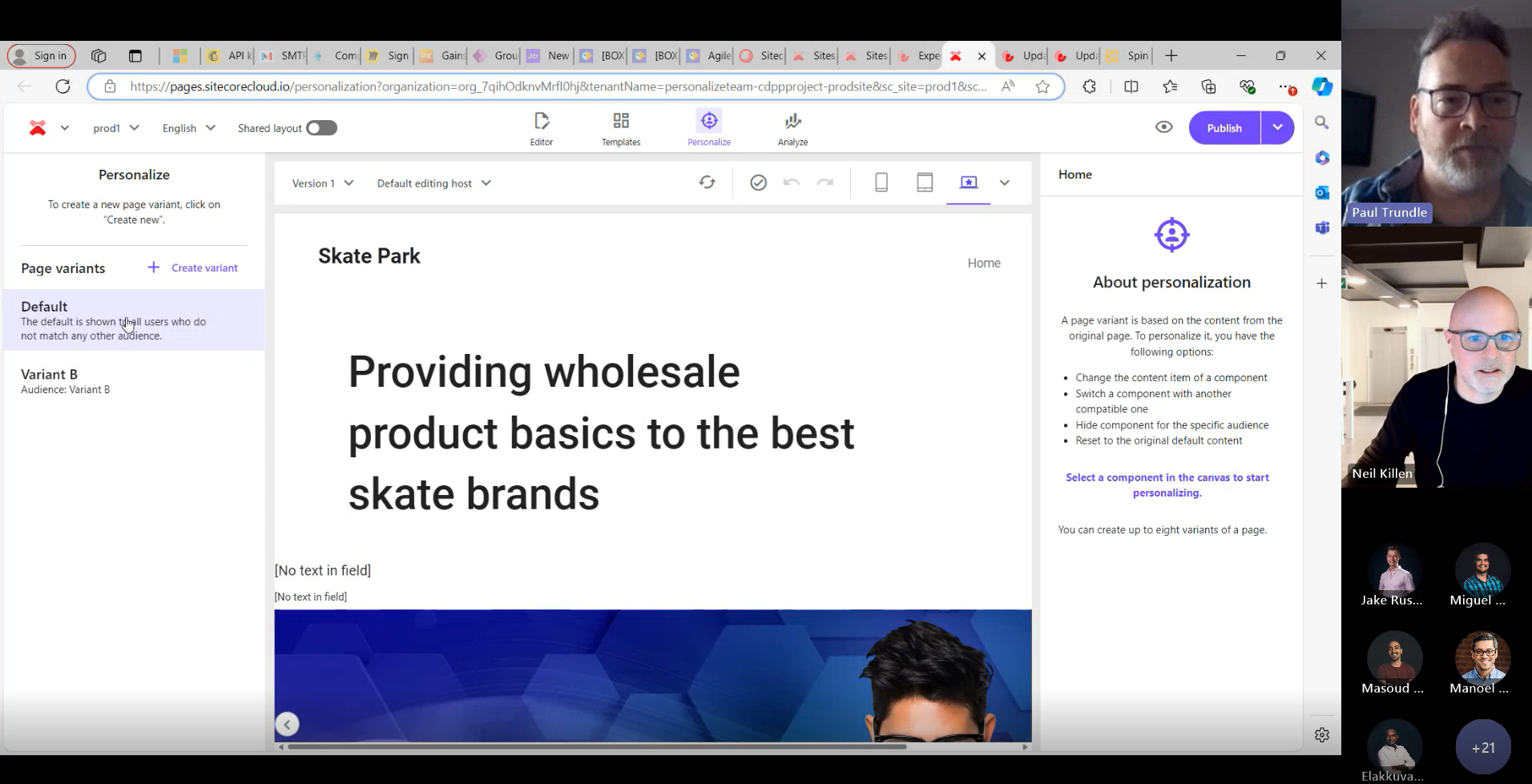
In June Sitecore Personalize included a new feature making it easier to stay updated on changes to your experiments and experiences with notifications. You can enable notifications for your own email address or add multiple recipients to keep your team informed. Once set up, recipients will receive alerts whenever an experiment or experience is started, completed, paused, or resumed. Each notification includes details about who made the change, what action was taken, and when it occurred—along with a direct link for quick access to the specific experiment or experience. To update the recipient list, head to the Notifications tile and remove any unwanted email addresses.

Copy To Tenant
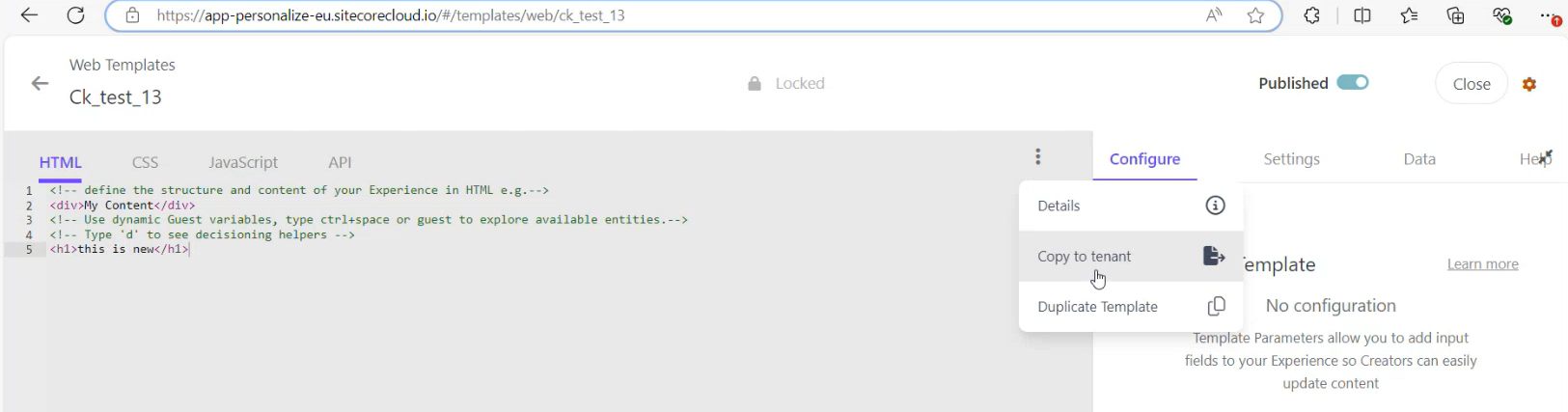
The Copy to Tenant feature allows you to easily copy entities between tenants within the same region. With just a few clicks you can easily copy web templates, conditions, decision templates, JS modules, connections, offers, offer templates and your point of sale.
1.From the entity you want to copy simply choose Copy to tenant option:
2.Choose your destination (it must be within the same region):

3.Create an exact copy of an asset or rename the asset before you copy it to the destination tenant:

4.Personalize will also perform collision detection and warn you if there is an asset with the same name in the destination, preventing you from potentially overwriting an existing entity:

As you can see this makes it really easy to transfer your entities between your tenants.
Automated Post Test Actions
Added to Personalize in August the Automated post-test actions transforms how you handle experiments, by defining what happens once an experiment reaches statistical significance. Depending on the outcome, you can choose to direct all traffic to the winning variant, revert traffic to the control variant, or conclude the experiment if no clear winner emerges or the results are inconclusive.
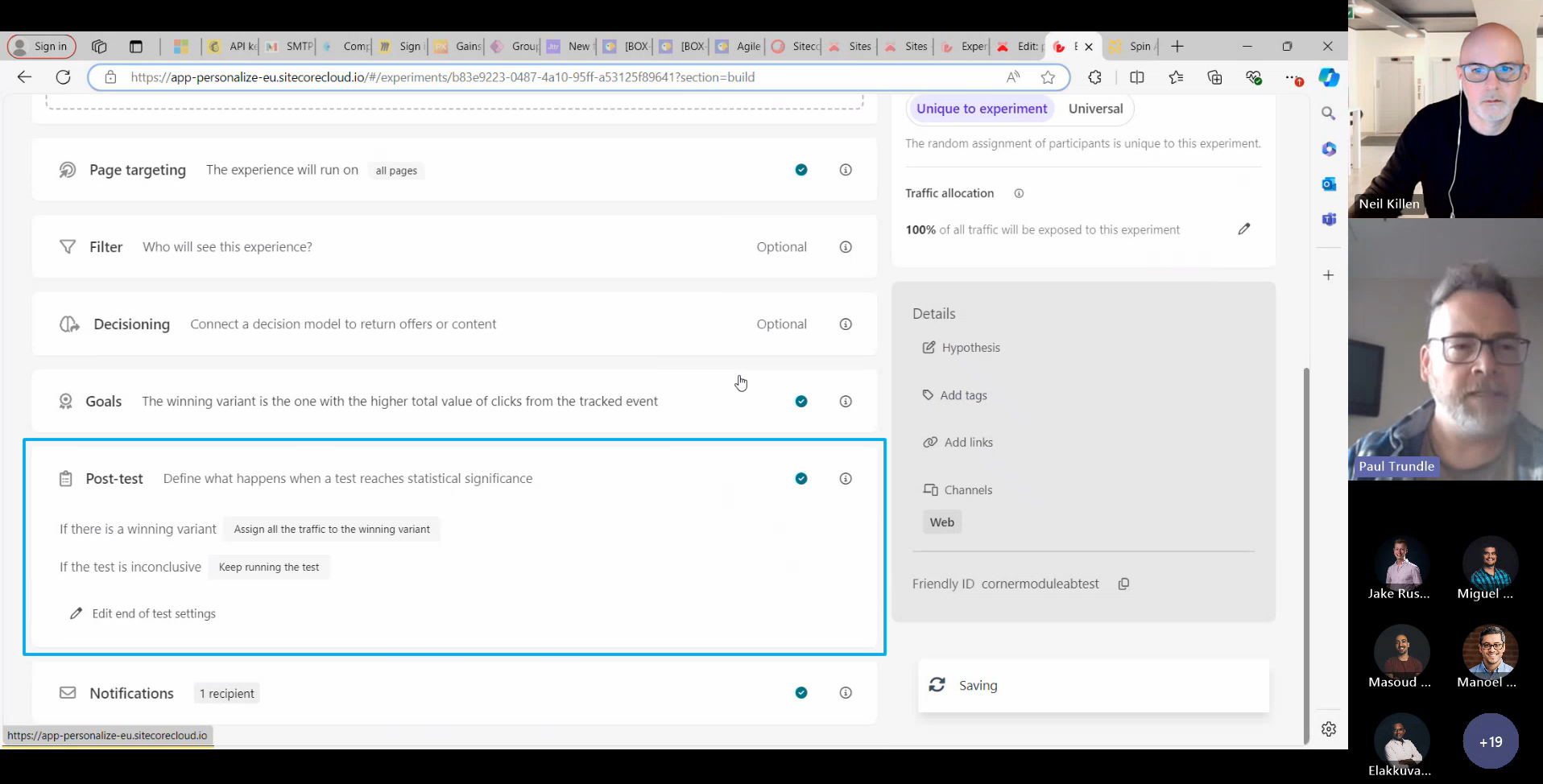
You no longer need to manually decide what to do when an experiment reaches statistical significance. Instead, you can set automatic actions based on the results, including:
- Directing all future traffic to the winning variant.
- Reverting traffic to the control variant.
- Continuing the experiment with the current traffic allocation.
- Ending the experiment and halting traffic to all variants.
With Post test actions automating your next steps based on test outcomes, this simplifies your workflow with automated responses, saving time by eliminating manual intervention, and ensuring consistent, error-free handling of experiment outcomes for more reliable results.
New Personalization Conditions
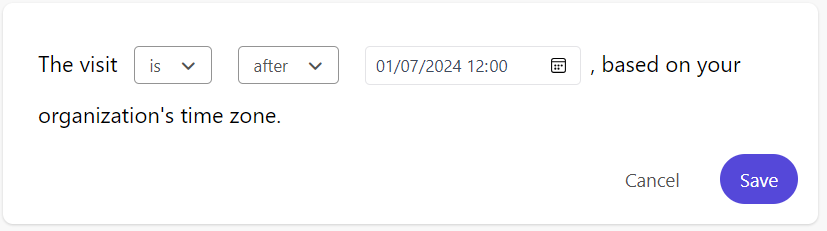
New personalization conditions have been added when creating audiences for page variants in the page builder.

Date and Time condition – was added in July to XM Cloud and Personalize addressing the need for more accurate control over date and time personalization while also simplify the process to a single condition rather than needing multiple conditions to set-up date/time based personalization. While Date and Time
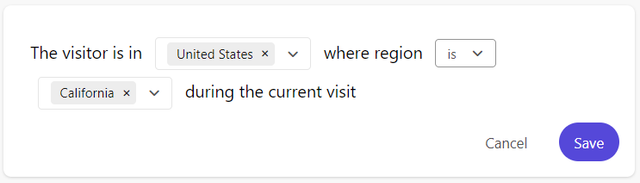
Country Region condition – was added in August and allows you to combine country and region for personalization based on the geographic location of your visitors. Initially, this condition supports the United States as a country and all its states as regions.
Component Testing in XM Cloud
The A/B/n testing feature was added to XM Cloud last week enabling you to:
- Create multiple variants – test up to six component variants, including a control, to find the best performer.
- Choose from four goals – boost page views, drive form submissions, reduce bounce rates, or lower exit rates.
- Control traffic – by managing how traffic is distributed between variants with ease.
- Track performance in real-time – keep tabs on each variant’s results in the XM Cloud Analytics dashboard. Wrap up tests manually or let them end automatically when statistical significance is achieved.
- Replace with best variant – automatically replace the original component with its top-performing variant after testing concludes
- Server-side components creation – component variants are now generated and stored on the Edge, ensuring changes are immediately available when a page loads in the user’s browser. This update improves load times, enhances user experience, and boosts security.
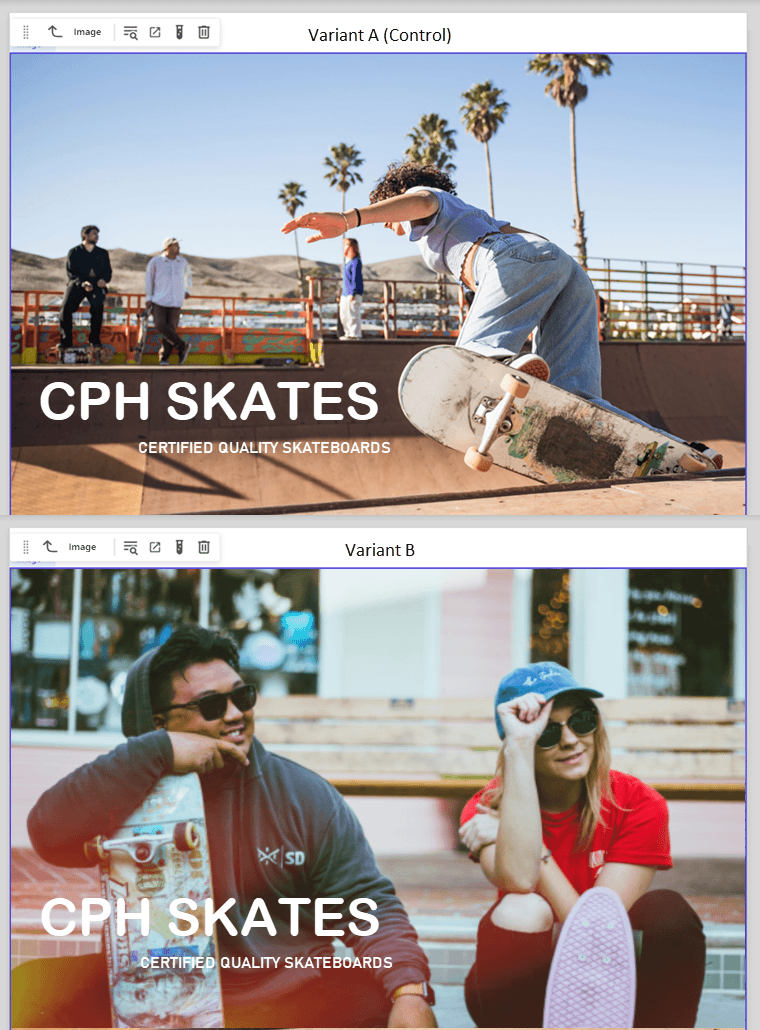
Check out this detailed post by Árvai Mihály where he explores this new feature.
Personalize Roadmap
Looking ahead here are some of the cool features Sitecore have in the pipeline.

Conditions Builder
This feature provides the ability to add multiple conditions to your tests on an ad hoc basis. The interface allows for seamless addition of conditions, as well as the flexibility to nest groups and adjust operators like “and” or “or” as needed.

For anyone who has felt limited by being restricted to a single condition, this functionality is an obvious improvement. It streamlines the process and opens up new possibilities for test configurations.
Users can also create reusable condition groups. For example, if you’ve added three conditions in a test, you can save that setup as a template and reuse it in future tests. This builds a dynamic, on-the-fly library of condition groups, making it easier to manage and replicate complex scenarios.
The new conditions builder feature will allow you to build more complex conditions directly within the UI – no need for custom JavaScript. This is a game-changer for marketers aiming to scale personalization with ease.
Journey Orchestration
The goal here is to give users the ability to synchronize journey milestones and then react when specific actions or outcomes occur. Providing users with the ability to develop and synchronize key journey milestones and reach when a specific action or outcome occurs.

Sitecore is working on a common use case: an abandoned cart flow; as a proof of concept. This involves triggering an event that starts an email sequence. After a set delay, a condition checks whether an order has been placed within the past two days. If true, a second email flow can be triggered, allowing for further engagement.
A triggered email flow that nudges users back to complete their purchase, leveraging data and conditions to personalize follow-ups. It’s high-value, low-lift for brands serious about conversions.
This functionality has the potential to add significant value, enabling more dynamic and responsive journey orchestrations.
Content Hub Integration
This feature allows seamless integration with Content Hub, enabling you to connect directly to assets and use them within Personalize web templates. Through a simple picker window, you can easily select and incorporate assets, such as images, when creating web templates or other content.
Notifications Webhook Support
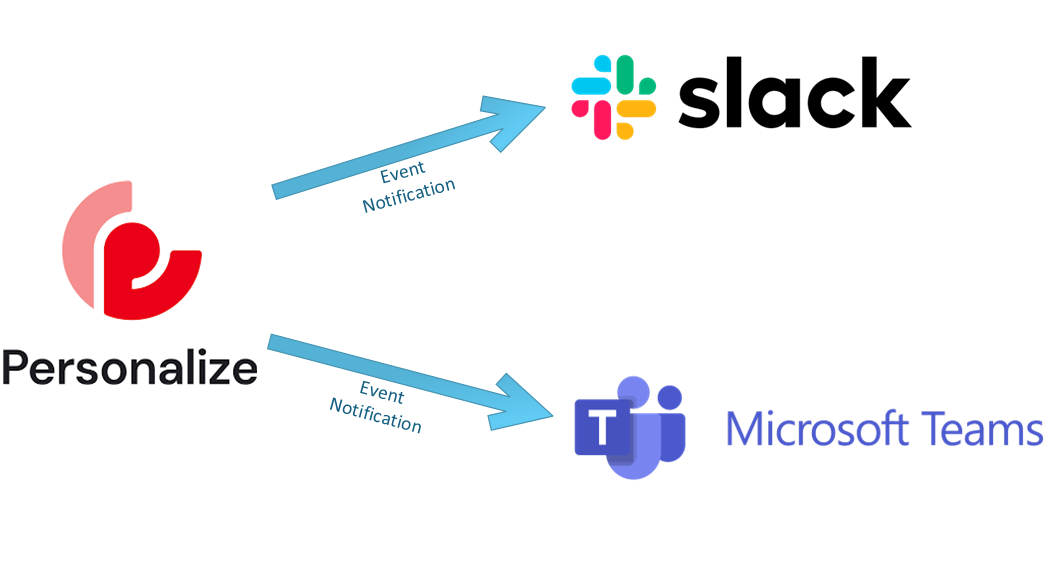
Sitecore are planning to leverage the Connections in Personalize to extend the Notification capabilities so you can configure and integrate your preferred communication/messaging tool using webhooks. This will provide greater flexibility and allow real-time notifications, enhancing your workflow efficiency and communications.
More Conditions on the Edge
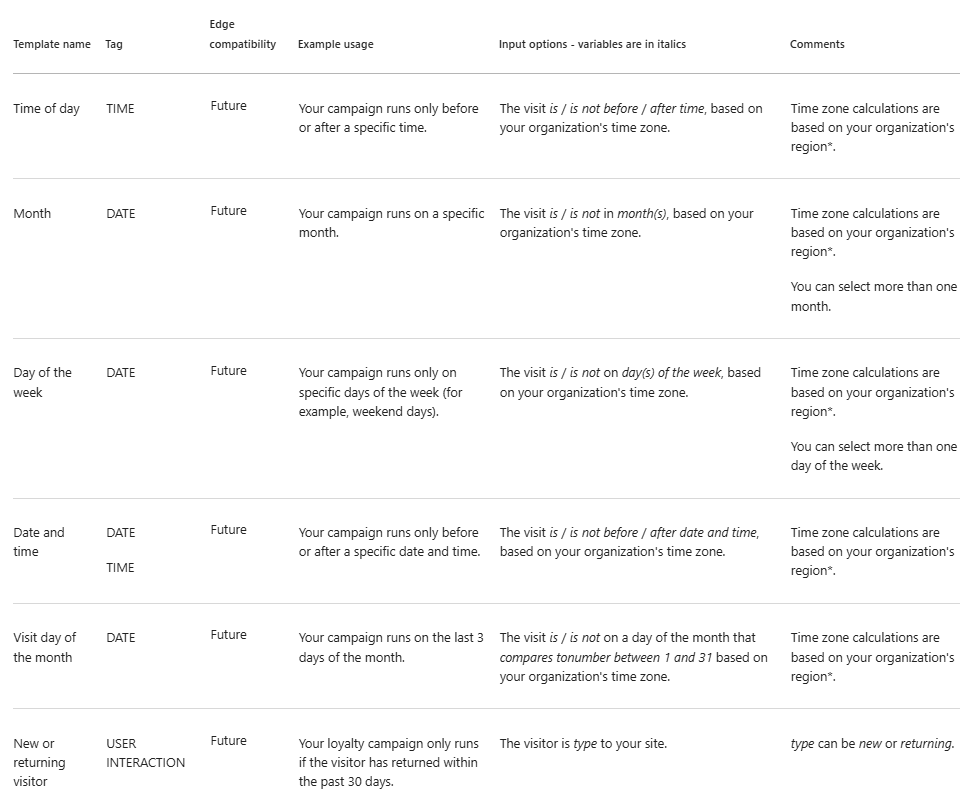
Sitecore are continuously expanding the available OOTB conditions for Sitecore Personalize on Edge. These upcoming conditions will provide even greater flexibility for targeting and personalization including:
- Date
- Time
- Datetime
- New and returning user
Useful Info
Setup Notifications for an Experiment
Setup Automated Post Test Actions
Specifying Variables for Conditions
Copying Entities between Tenants
XM Cloud A/B/n Testing
First Look at A/B/n Testing in Sitecore XMC by Árvai Mihály
Hope you found this useful!
 Neil Killen