As solution providers, we often think to build something that meets our clients specific requirements we need to build it from scratch. Given the time, budget, and resource constraints it’s usually not viable to build a great working poc or demo for a potential client that will blow their socks off. With OrderCloud while it is an amazing platform enabling you to build all sorts of B2B and B2C commerce solutions, whether it’s a fully fledged commerce website or a simple tool that meets the needs of a business user to allow them to manage promotions you need to build it! But what if you took an alternative approach? What if you could utilize a Low-code/No-code platform to quickly and more easily create that winning poc or internal back office applications? This is a topic I shared during SUGCON Europe 2024 in Dublin.
Pillars of Modern Ecommerce
To be successful in e-commerce you need a great Product, and a vision along with some smart people, loyal customers and the right technology stack to help execute and support your vision.
We’ve seen a shift from Monolithic all-in-one e-commerce platforms towards modern composable headless platforms. These Modern platforms provide:
- Flexibility – greater flexibility flexibility allows development teams to make changes easily and rollout new features much quicker than before.
- Integrations – They can easily integrate with existing systems and support new integrations.
- Omnichannel support– With the explosion of channels over recent years the ability to create a seamless customer experience across all channels and touchpoints is key. So, irrespective of whether the customer orders online or chooses a product in-store and asks for it to be delivered to their address, their experience with your brand should be seamless and positive at every stage of their journey.
- Customizable – No two businesses are the same they all have a different customer base with different user journeys and requirements. While all commerce platforms share a common set of features these should be easily customizable to meet the specific needs of the business now and as it evolves.
- Scalable – And as the business grows the platform must be capable of scaling up to handle the increased traffic without performance degradation.
OrderCloud
OrderCloud is a SaaS Ecommerce platform. Due to high degree of configurability it is capable of handling complex B2B, B2C and B2X scenarios. Through its powerful features and headless Rest API architecture you can assemble a commerce solution to meet your clients exact requirements. Whatever commerce functionality a client might need you can build it with OrderCloud.
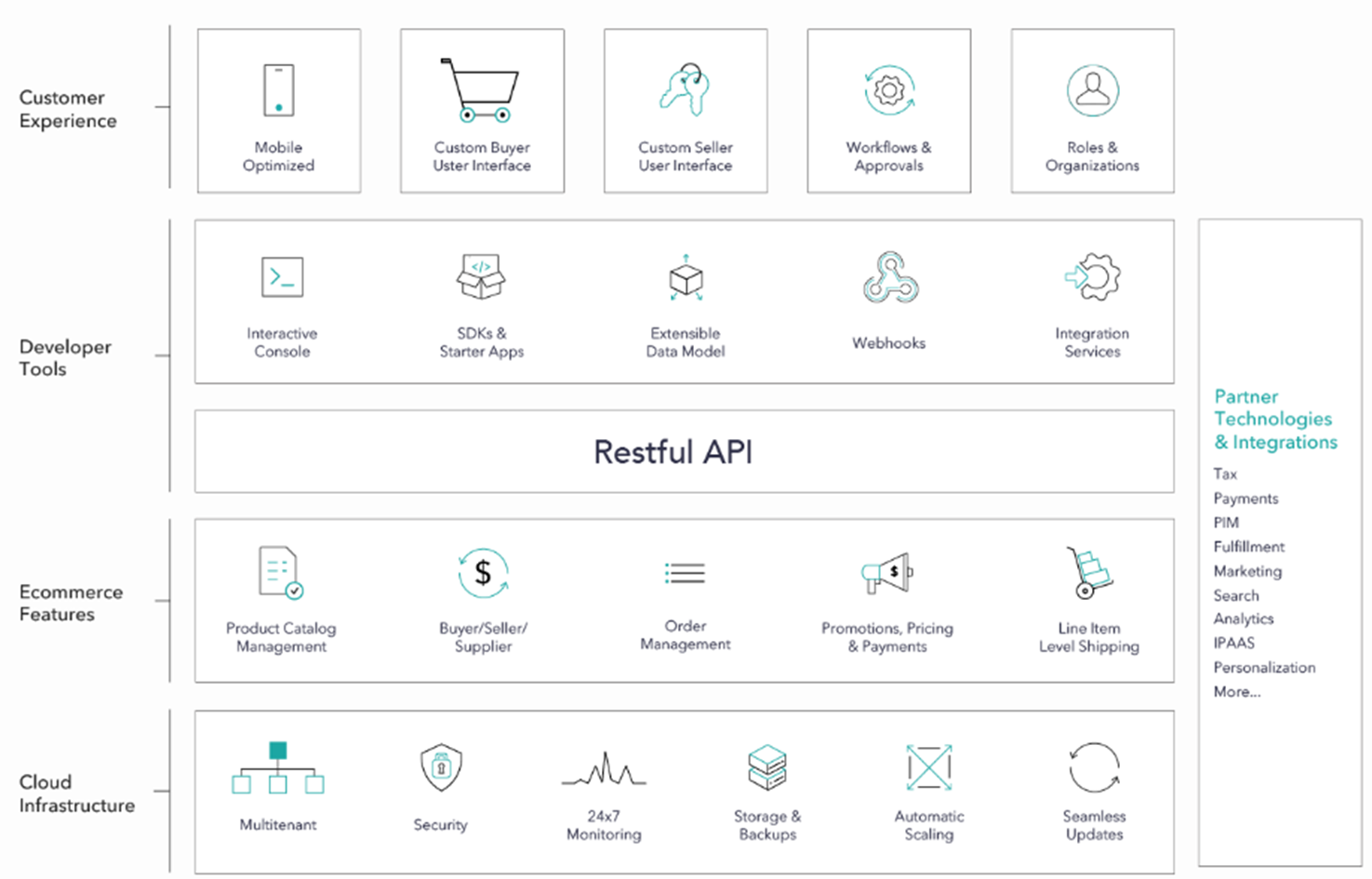
Once you’ve defined these requirements then you can start building the required applications needed to support it. Were not just talking about creating their online store, were also talking about POS, Backoffice applications. They might need a back office application for managing the products, catalogs and prices, managing order and prices you can build it.
Complex Retail Customer Journeys
I attended Klaus Petersons session during SUGCON titled: Retail Order Management – the real examples. Klaus is an long-time experienced expert in Sitecore and ecommerce. In this he described the simple to more complex Omnichannel user journeys in retail. Some of those journeys might include the following:
- Buy In Store with immediate delivery.
- Buy online and pick up in store with own stock.
- Buy online and pick up in store without own stock (click and collect).
- Buy in store, split between immediate order pick up and pick up in a different store.
- Buy in store split between immediate order and delivery at home.
- Buy in store split between immediate order and pickup from different store (no stock).
- Buy online and spilt between delivery to home and pick up in store with stock.
In his session described how you need to really thing about each of these journeys as a they directly impact how you go about constructing your OrderCloud solution and configure the entities available in OrderCloud.

What is OrderCloud?
Describing OrderCloud to a potential client can be a challenge. As it is a bit of a black box. All of its features are hidden away behind its RestAPI. While you can completely customize the Buyer and Seller Applications you must Build It!
This is also its Strength. As you can Build to the exact requirements after you’ve determined the operational approach. To help you build, OrderCloud provides some Developer Tools, SDKs, and some additional tools and there is some great sample implementations that can help you get started.

Interactive Console
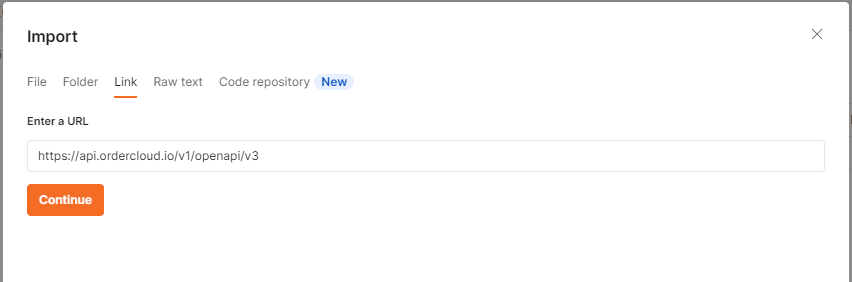
The interactive API Console is the only thing you get that resembles an interface OOTB. Allowing you to run queries against your data. I’ve heard it described by someone in the community as “Postman on Steriods..”

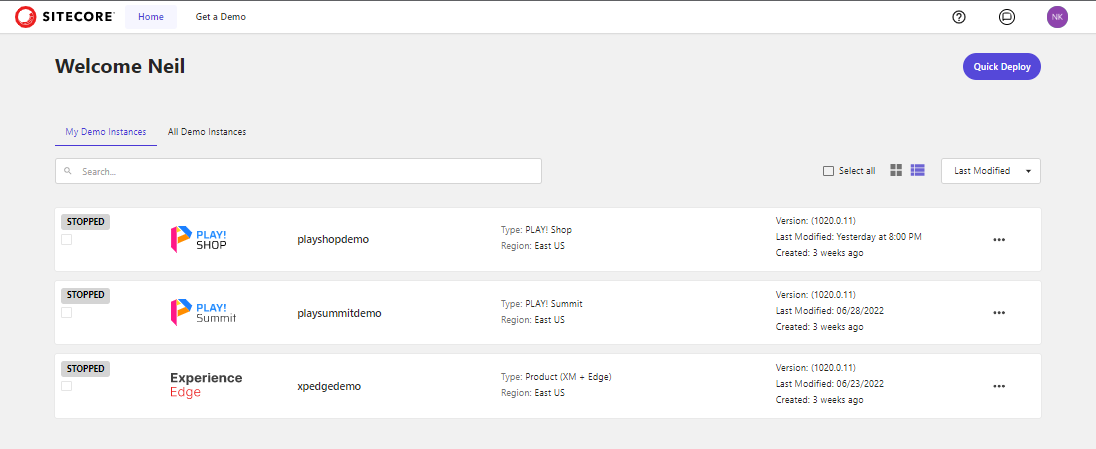
PLAY! Summit- Custom Buyer Interface
The Demo team created PLAY! Summit – A headless commerce solution built to showcase the power of Composable Sitecore DXP. Using Sitecore XM, Content Hub, CDP and Personalize, Discover and OrderCloud. Which is great for demos or just wanting to learning. It might not represent exactly what it is the customer wants but helps tell the story of what is possible!

Headstart React Admin
The Headstart React Admin is a example of a seller application built on top of OrderCloud JavaScript SDK. It’s not a production ready application but is a great starting point to teach developers how you could implement a back-office application using OrderCloud Javascript sdk and APIs.

It was Built using react, nextjs, typescript, chakra ui, and various other tools. Features include ability to manage:
- Products inc facets, prices, catalogs
- Promotions
- Buyers
- Orders and their returns.
- Suppliers
- Security
Tech Transformation Initiative Backlog
So whatever you need you can build it. You just need the budget, developers, and time to build it. With these constraints many companies often have a backlog of tech transformation initiatives they need to implement.

With the onset of the pandemic most companies had to accelerate these initiatives. Many discovered there was a shortage of available skilled resources capable of implementing their projects. So they started looking at alternatives being offered through Low Code and No Code Platforms.
”70% of new applications developed by organizations will use low-code or no-code technologies by 2025, up from less than 25% in 2020” Gartner Research
Increase in LCNC Platforms
There has been a steady increase in the number of LCNC platforms while existing platforms have been adding Low Code / No Code features to their platforms.
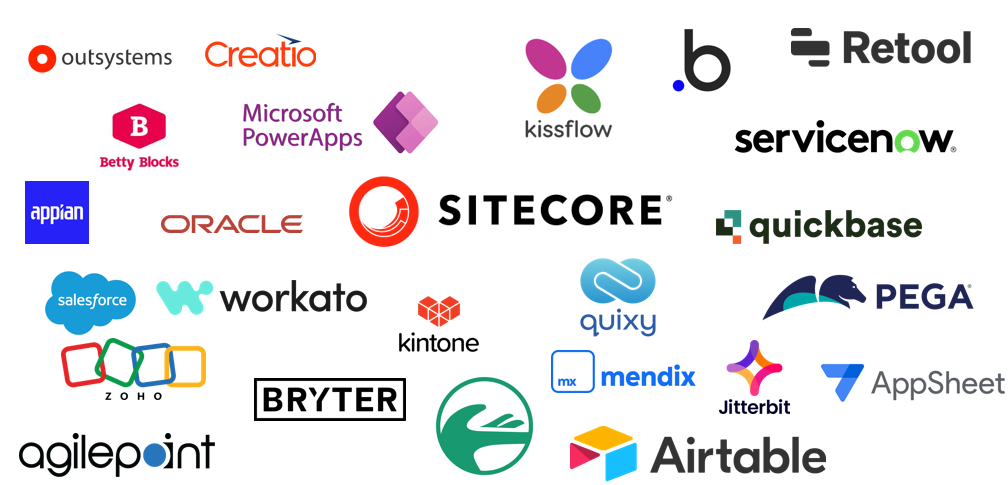
We’ve increasingly seen these features being added to the Sitecore products so that non-developers can assist in implementing solutions that were normally only something a developer could do.
Sitecore Personalize – when you create decision models in Personalize you are using a Low Code / No Code interface, allowing you to drag and drop decision elements onto the canvas to construct your Decision Model.
Sitecore Connect – is Workato under the hood allowing you to create workflows using a drag & drop application to construct your system integrations.
Sitecore 10.4 – provides the ability to customize visitor profiles without a needing a developer – through a new no-code user interface to allow marketers to extend visitor schemas to support common scenarios without developer involvement, while still retaining the advanced customization capabilities already available for developers
Benefits of Low Code / No Code
The reason being is some of the Benefits that these low code / no code platforms offer to businesses LCNC have:
- Democratized – the delivery of applications, by enabling more people within the business to get involved in ideation, poc’s and implementations of tools that help and support the business.
- Reduce Costs – as applications can be built quicker and in theory by non-technical people the can have a significant reduction in costs.
- Faster-time-to-market – using LCNC platforms enable applications and new features to be delivered much quicker than traditional methods. This an accelerated time-to-market enabling businesses to be more agile and can give them a competitive edge.
- Improved Efficiency – by enabling non-technical folks to deliver or manage feature enhancements themselves this provides efficiencies for the business by allowing your technical team to focus on other more critical applications while providing more of a consultancy role rather than always being hands on.
Citizen Vs Traditional Developer
The idea of non-technical users developing solutions is nothing new. The term “citizen developer” was first coined by Gartner in 2009 but has grown in popularity with the rise of LCNC platforms.
These individuals have little to no coding knowledge and work outside the IT department, yet they possess the ability to create custom applications for themselves, fellow employees, and even customers. They leverage low-code/no-code platforms with visual interfaces and drag-and-drop builders to connect components and create software without writing code.

Traditional Developers get to benefit from Low Code / No Code tools. These tools help streamline the development process by removing some of the more mundane tasks. As development languages, tools and platforms continue to evolve so has the developer experience, making it easier in some ways for us to deliver solutions more quickly and more efficiently, by enabling us to focus on more complex and critical tasks.
Using LCNC with OrderCloud
While exploring the Low Code platform: Retool it occurred to be why not try and build a backoffice application for OrderCloud, providing similar features as those provided with the Headstart React Admin.

I could have chosen any of the LCNC platform but I was interested in Retool having read some articles about the platform and how it is mainly used by engineering teams to quickly create utilities to improve efficiencies.
Retool is a Low Code platform targeted at developers to help them build internal applications quickly and efficiently. It supports RestAPIs, GraphQL and SQL and allows you to create poc’s and simple applications in hours and days rather than weeks.




 Neil Killen